Closed beta · Free for personal use
Self-hosting for everyone.
Mesopod runs in one click on your machine. Your data stays on your server, and your apps are reachable only from your network.
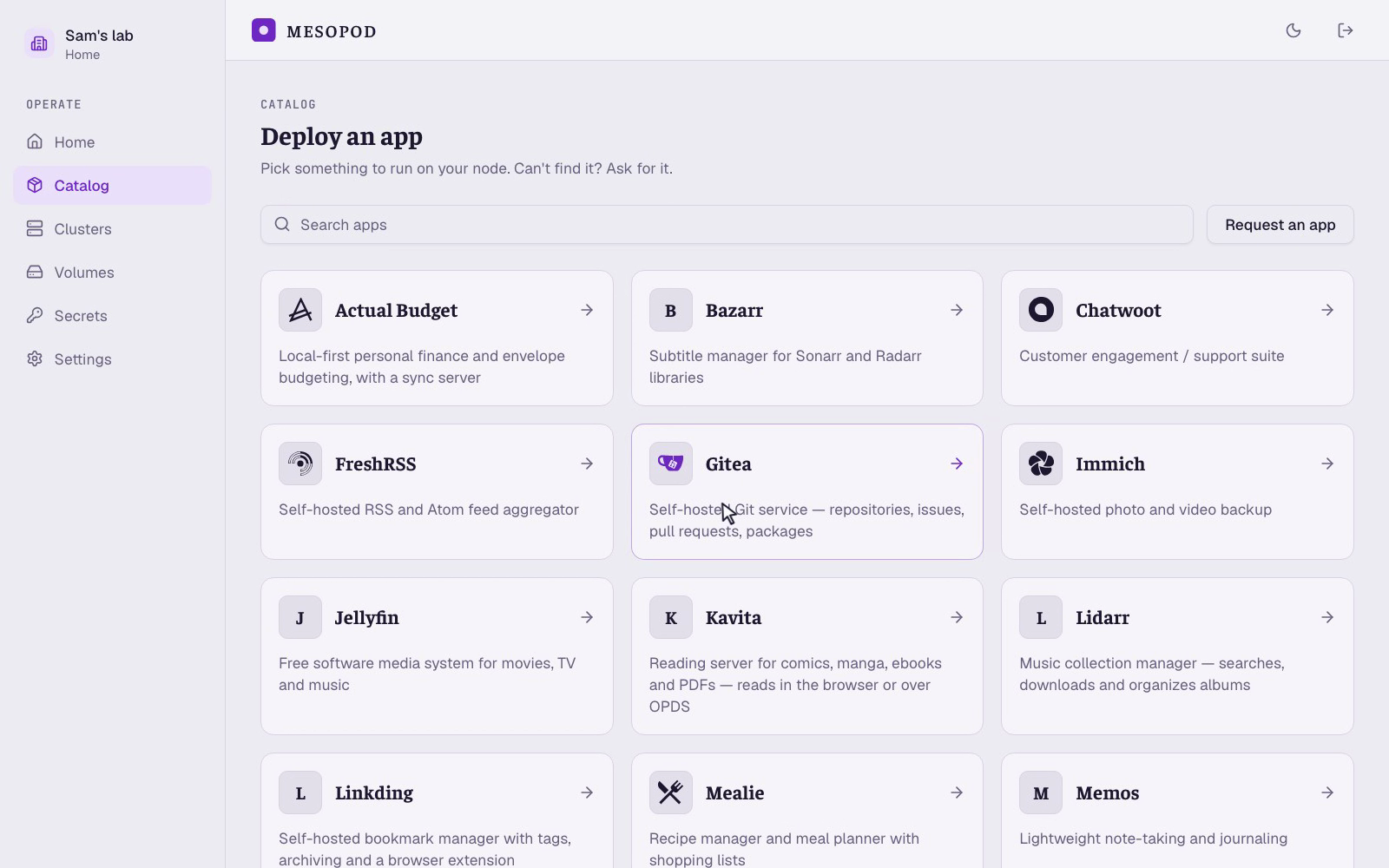
- Immich
- Jellyfin
- Plex
- Navidrome
- Kavita
- Sonarr
- Radarr
- Lidarr
- Prowlarr
- Bazarr
- Seerr
- Tautulli
- qBittorrent
- Transmission
- SABnzbd
- Vaultwarden
- Actual Budget
- Mealie
- Memos
- Linkding
- Omnivore
- FreshRSS
- Stirling-PDF
- Gitea
- Uptime Kuma
- n8n
- Open WebUI
- Chatwoot
- + more every day
-
Your data, your network
Your files stay on your disk and your traffic stays on your network. Mesopod doesn't see your data or traffic.
-
Your apps stay up
Unhealthy apps are automatically restarted. Health is monitored locally, so if Mesopod is ever down, your apps don't notice at all.
-
Updates you're not afraid of
Every app version is tested by us before it reaches you. Updating is one click, not an evening's work. Auto updates soon.
-
Real addresses, real certificates
Every app gets its own address and a certificate every browser trusts, fully managed by Mesopod.
-
Zero trust, by default
Nothing on your network is reachable from the internet, and apps are walled off from each other. Any app can sit behind your Mesopod sign-in.
-
Any machine you own
A spare box at home, a cloud VM, or the Mac or Windows 11 PC you already have. One command to connect it.
How it works
-
01
Connect a machine
Run one command on a Linux box, a Mac or a Windows 11 PC. It connects out to us.
-
02
Pick an app
Choose it from the catalog, name it, deploy.
-
03
Open it
app.yourserver.mesopod.appfrom any device on your network.
Under the hood
- A small Kubernetes cluster (k3s). When you connect a machine, the installer creates a k3s cluster. You never touch it, and everything Mesopod creates is a plain Kubernetes object you can inspect with standard tooling. You need to be quite technical for this, though.
- The cluster connects to Mesopod. A small agent, the outpost, running within the cluster dials out to us; nothing on your machine listens for us.
- Mesopod manages the server from there. It tells the agent which apps to run and how, keeps watch on their health, and sends the update when you click. The agent keeps the apps running on its own whether or not it can reach us.
- Catalog apps only, for now. Your own containers can't be added yet.
Linux · Debian/Ubuntu, x86_64 or arm64 macOS · Apple silicon, k3d on OrbStack; Docker Desktop and Intel Macs in testing Windows 11 · WSL2 new
Questions
- What machine do I need?
- A Linux box at home or a cloud VM, an Apple silicon Mac or a Windows 11 PC, left on. 4 GB of RAM for a first install, 8 GB for Immich- or Jellyfin-class apps.
- What can you see on my machine?
- Which apps you run, the settings you entered and whether each is healthy. Secrets are encrypted, and only your machine can open them once they leave us. Never your photos, your files or anything inside the apps.
- Can I reach my apps from outside my network?
- Yes, through Tailscale or the VPN you already use. Once you're on your network, every app is there. There's a guide for Tailscale.
- What happens if Mesopod goes away?
- Your apps keep running. You'd lose the console, nothing else.
- What does it cost?
- Nothing for personal use, and we plan to keep it that way.
Closed beta
Try it on your own machine.
The guides walk you through your first install. Free for personal use.